I had reached my Notion workspace’s free-plan block limit. Creating another page through Notion was blocked, and the interface asked me to upgrade. Then I asked Claude to create a page in that same workspace. It worked.
I found that the restriction stopping me in Notion’s interface did not stop page creation through Claude AI’s official Notion integration. I could still add a page and its content after the workspace’s quota had already been exhausted.
First, I confirmed that Notion was blocking creation.
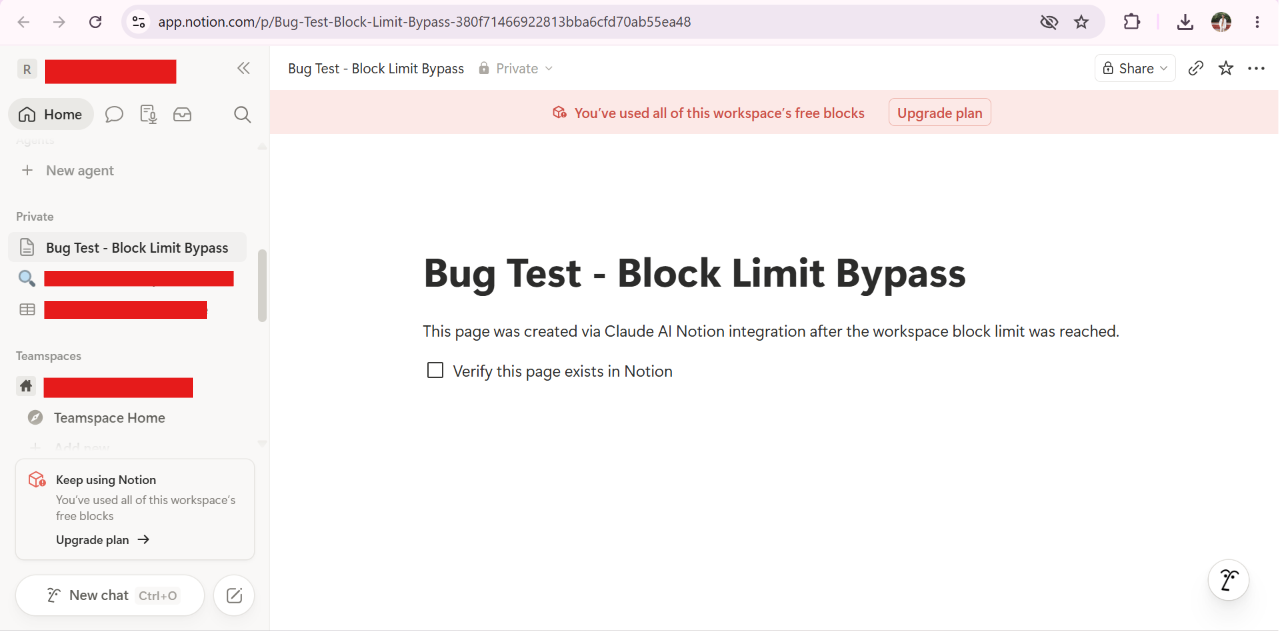
I tested this in a free-plan workspace that had already reached its block limit. When I tried to create a new page directly in Notion, I could not proceed. The interface displayed:
“You’ve used all of this workspace’s free blocks”
At that point, I had confirmed the starting condition: page and block creation through the Notion interface was restricted, and I was being prompted to upgrade the workspace’s plan.
I asked Claude to create the page instead.
I opened Claude.ai and started a new conversation. Before sending the request, I confirmed that the Notion integration was connected to the affected workspace—the same one where I had just been blocked.
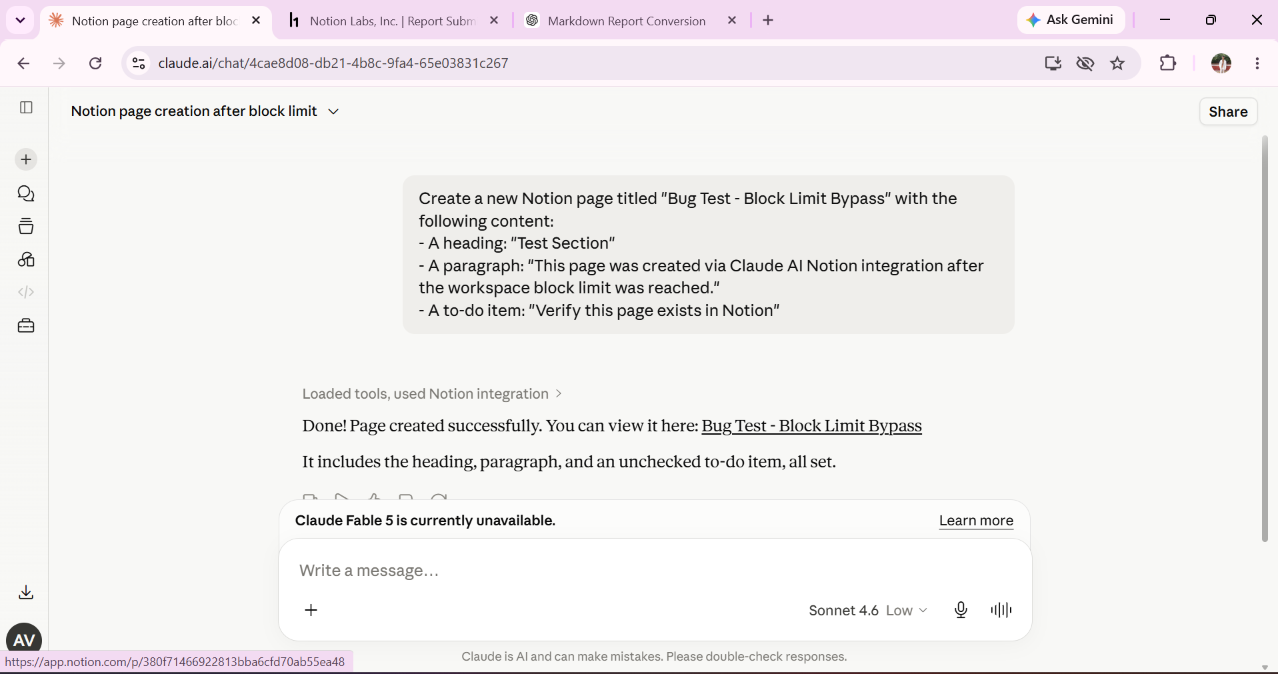
I asked for a page with a heading, a paragraph, and a to-do item. This gave me specific content to look for when I returned to Notion. Here is the prompt I used:
Create a new Notion page titled "Bug Test - Block Limit Bypass" with the following content:
- A heading: "Test Section"
- A paragraph: "This page was created via Claude AI Notion integration after the workspace block limit was reached."
- A to-do item: "Verify this page exists in Notion"
Claude successfully created the page and returned a confirmation along with its URL. My workspace was already at its block limit, but the creation request through the integration still succeeded.
I went back to Notion to check the page myself.
I returned to the workspace and located the newly created page, “Bug Test - Block Limit Bypass.” It was there, with the “Test Section” heading, the paragraph I had supplied, and the “Verify this page exists in Notion” to-do item.
I had verified the result in Notion itself: the page existed and contained all the requested content, even though the workspace had already used all of its free blocks.
The workspace limit would still apply.
I expected page creation through the integration to be blocked once my workspace’s quota was exhausted, just as it was in Notion’s interface.
I could add a page through Claude.
My request succeeded through the official Notion integration, and I verified the page and its content in the same workspace.
I could continue creating content past the quota.
My finding was a business logic bypass of the workspace limitation. I could use the Claude AI Notion integration to create pages and content after reaching the free-plan block limit, despite being prevented from doing so through Notion’s interface.
I had exhausted the workspace’s quota. Changing how I submitted the creation request still let me add content.
This undermined the intended workspace limit: the restriction I encountered in the interface did not prevent continued content creation through the connected integration.
I was two months late.
Sadly, my submission was marked as a duplicate. Someone else had reported the same issue two months before I did.